Employees & Contractors
The Employee and Contractor Files store information about your staff.
-
Contact Information, Employment Dates, and Personal Information
-
Department, Role, and Pay Rates
-
Employee Allowances, Deductions, and Paid Time Off
Access Employee and Contractor Files
To access from the Button Bar, go to Data Setup > Employees/Contractors.

Navigate Files
-
Use the
 to move to the previous or next file.
 -
Opt to show only Employees or Contractors with check boxes or Filter By Department

-
Search for a specific person in the Payee drop-down menu.
-
Click
 to record changes made to a record or
  to undo changes.
Employees vs. Contractors
An employee is someone who is employed by your organization and receives a W-2, whereas an independent contractor is someone who is self-employed and received a 1099. Accurately categorizing workers is important and relevant to your tax obligations and can have serious consequences when misapplied. Visit the IRS website for more guidance, definitions and clarifications on employees and independent contractors.
Human Resources
General
-
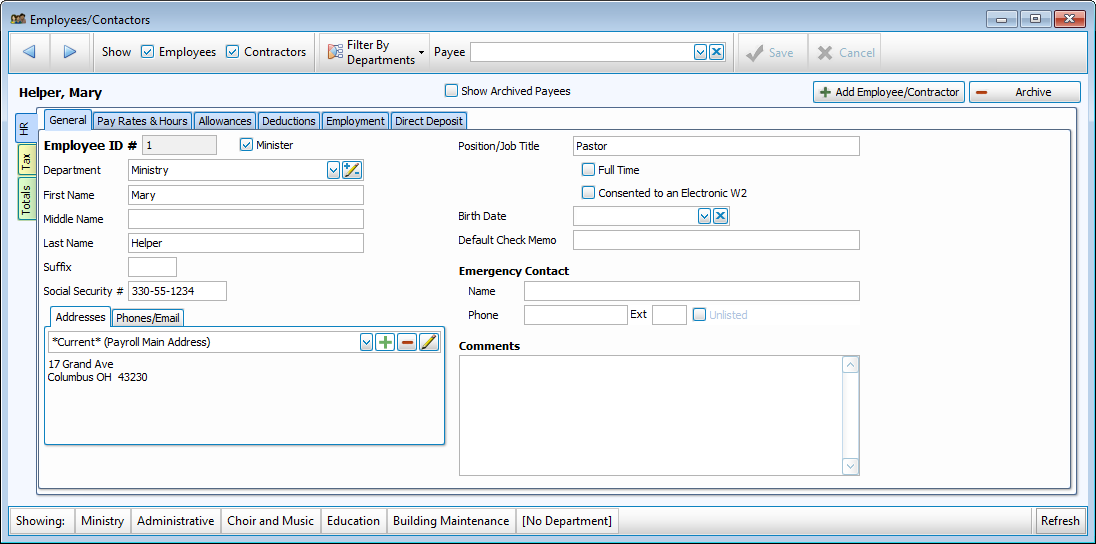
The General tab contains information about the individual such as their name, contact information, role, and emergency contact.
Pay Rates & Hours
-
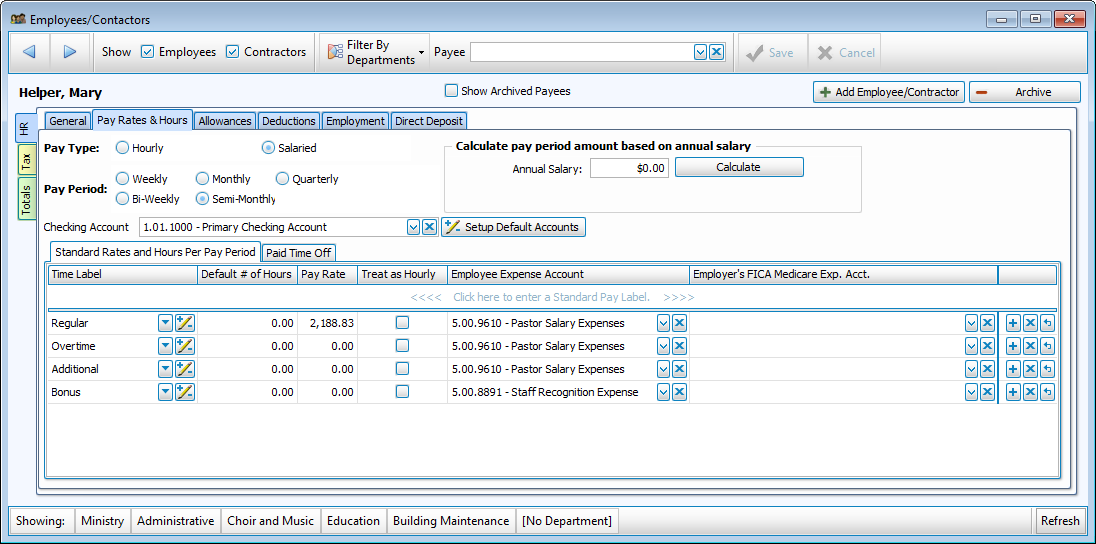
This tab is where you'll indicate whether an employee is hourly or salaried, how often they're paid, and what account they'll be paid out of.
-
Under the Standard Rates and Hours Per Pay Period tab, set a default number of hours (this can be adjusted for a pay in the Calculate Payroll process without changing the defaults.) Enter the rates and hours for the relevant Pay Labels.
Paid Time Off
-
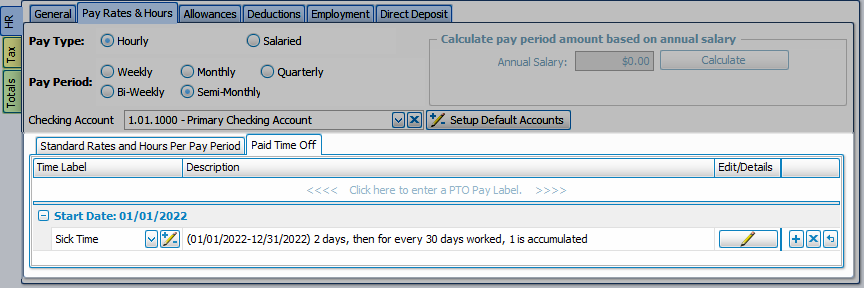
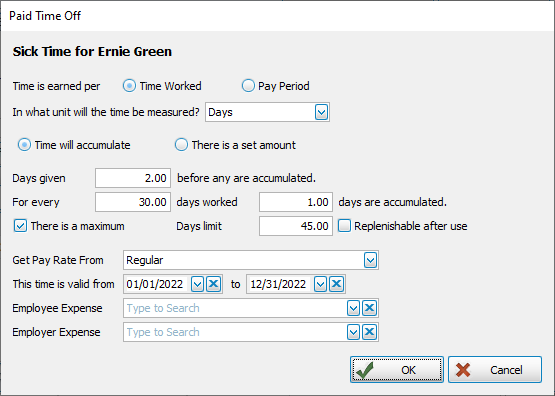
Paid Time Off can be added at a flat amount, accumulate with hours worked, or a combination. Associate paid time off with a rate, link accounts, and if applicable, valid time frame.
Allowances
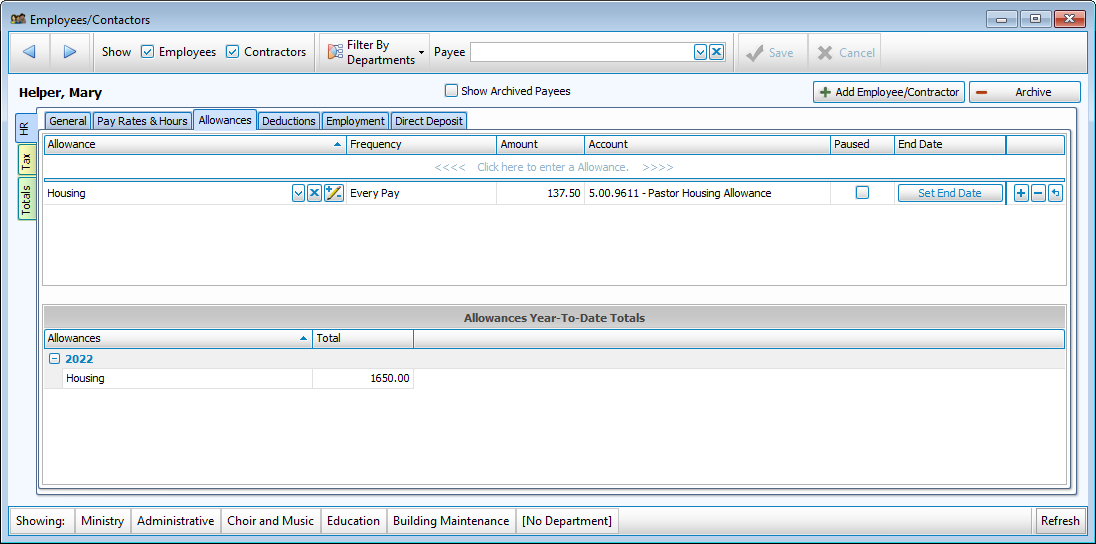
- Allowances added to employee file will be included with each pay unless the Paused column is checked, or the end date of the allowance has past.
-
Year to Date Totals are listed below for each year.
Deductions
-
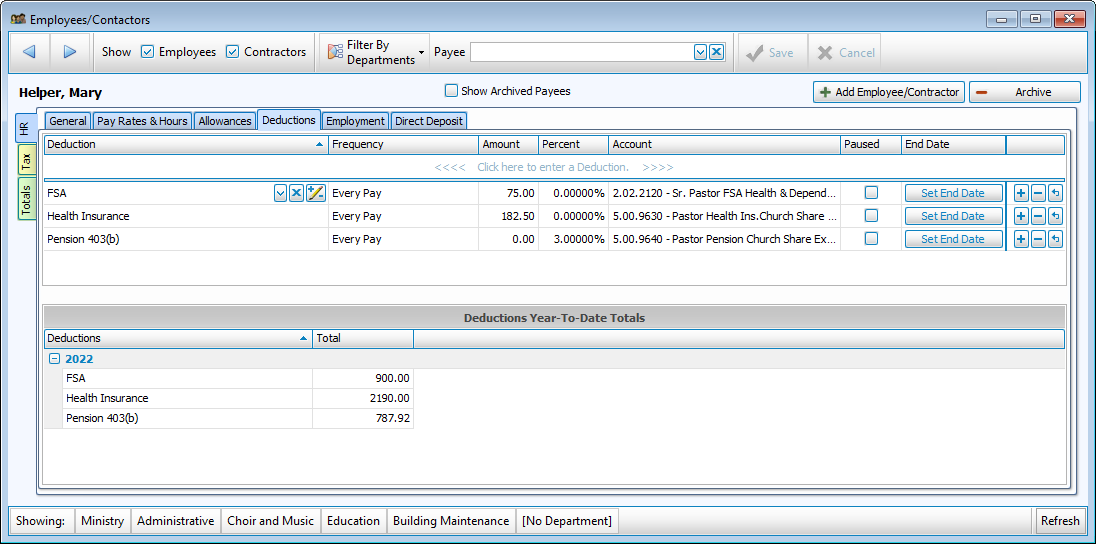
Deductions added to employee file will be included with each pay unless the Paused column is checked, or the end date of the allowance has past.
-
Year to Date Totals are listed below for each year.
Employment
-
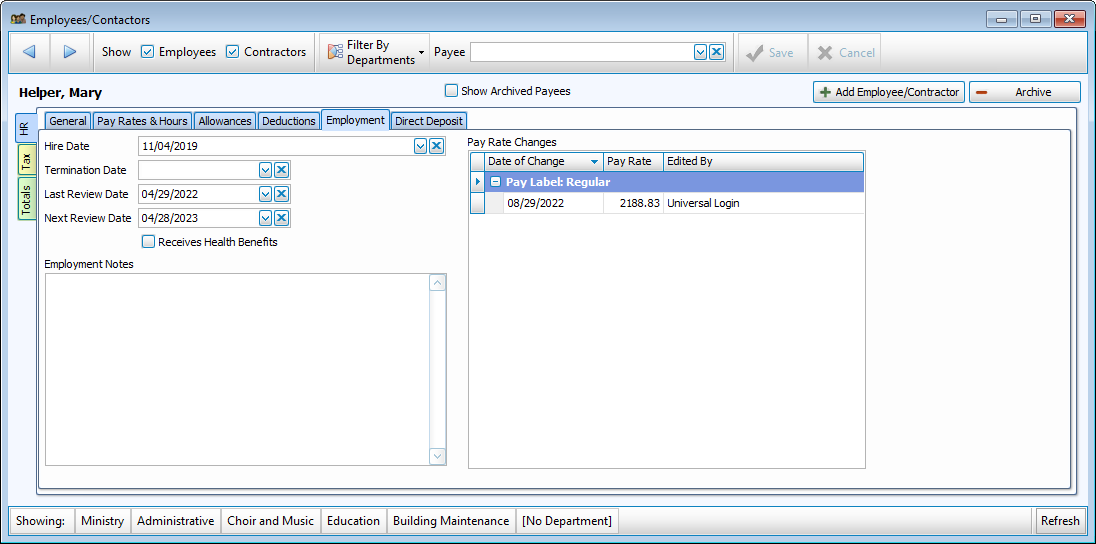
This tab houses important dates and notes related to their tenure with your organization.
-
A termination date in the past will eliminate them from payroll selections unless "Include Terminated Payees" is checked.
-
History of this person's pay rate, dates of changed, and the user who made the changes is listed on the right.
Direct Deposit
-
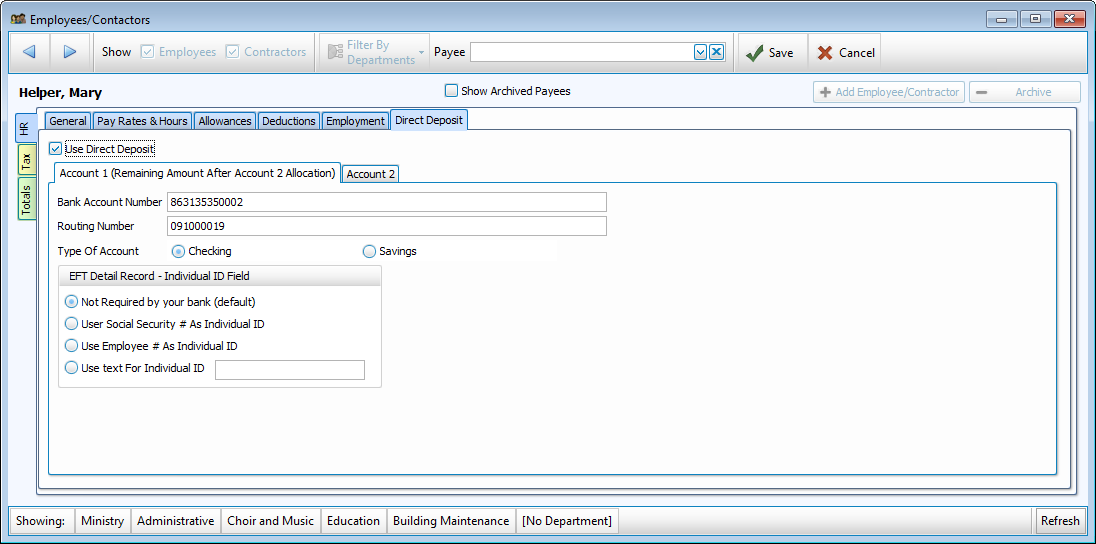
Employees paid by Direct Deposit/EFT have their account information stored here.
-
Enter the primary account on the first tab. If they request a percentage or amount go to a second account, enter that information on the second tab.
Tax
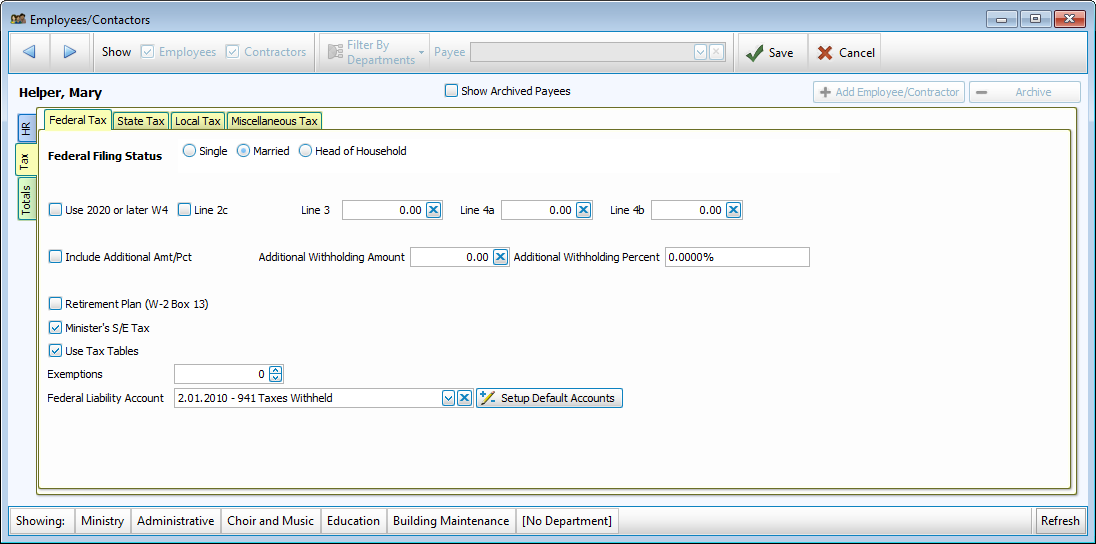
Federal
-
The Federal tab houses setting as filled out on the W-4.
-
Indicate a special liability account for this employee or use the default with
 .
.
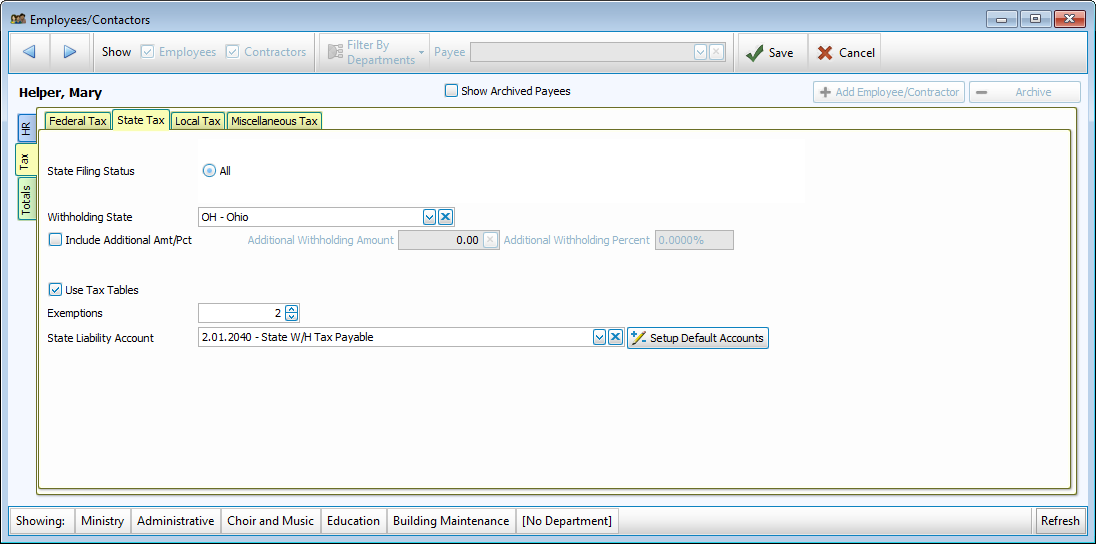
State
-
State settings vary based on the Withholding State selected.
-
State Liability Account can be specified for a person or use the defaults with
.
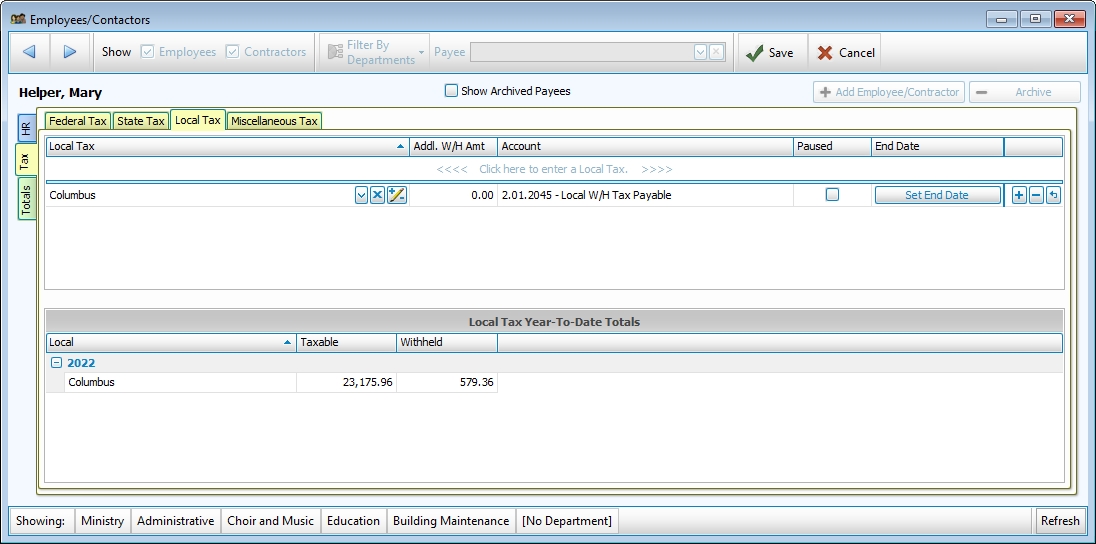
Local
-
Local Tax is often determined by a city, county or school district.
-
Year to Date Totals are listed below for each year and tax.
Miscellaneous
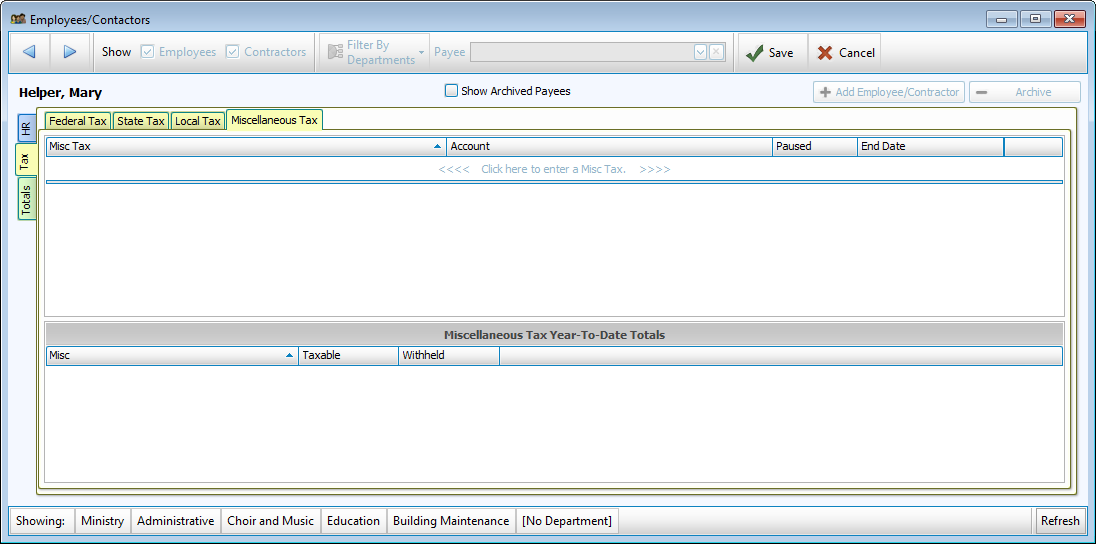
- Miscellaneous Tax are often implemented at the State or County level.
- Year to Date Totals are listed below for each year and tax.
Totals
W-2 and 941
-
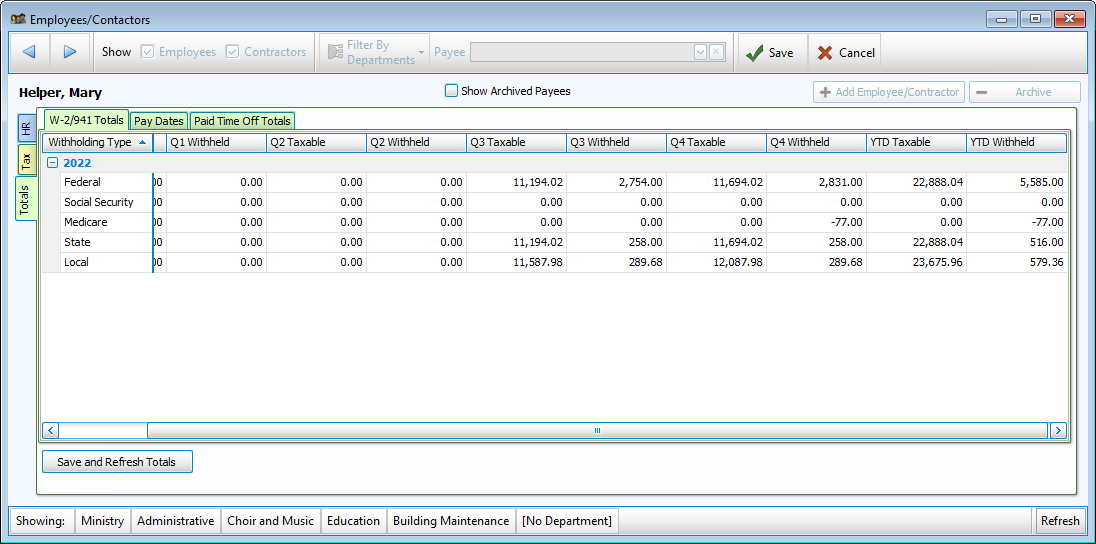
This informational screen provides totals by quarter and year to date for withholdings.
Pay Dates
-
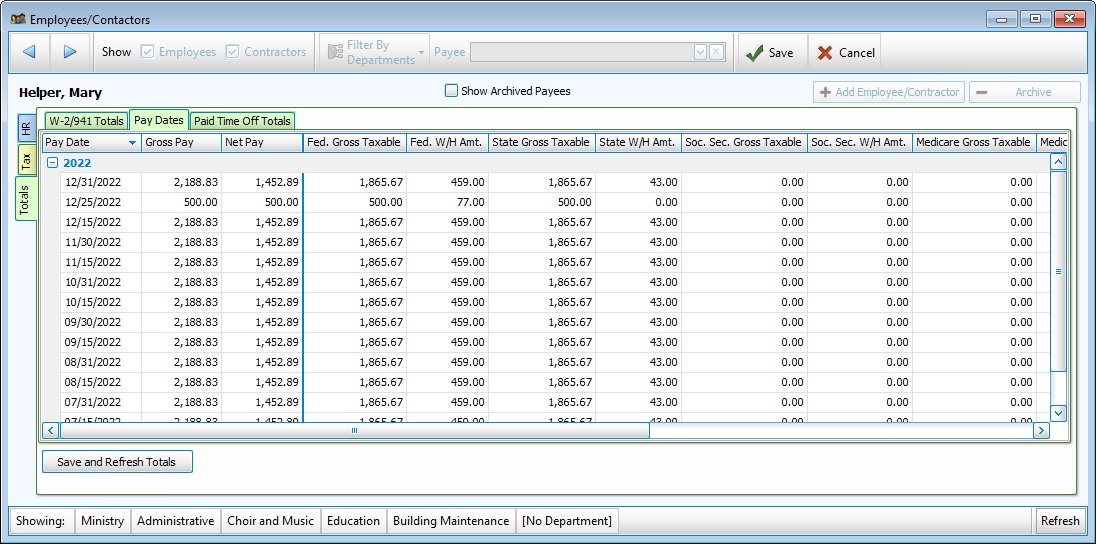
This screen provides a list of pay dates along with a breakdown of withholdings.
Paid Time Off
-
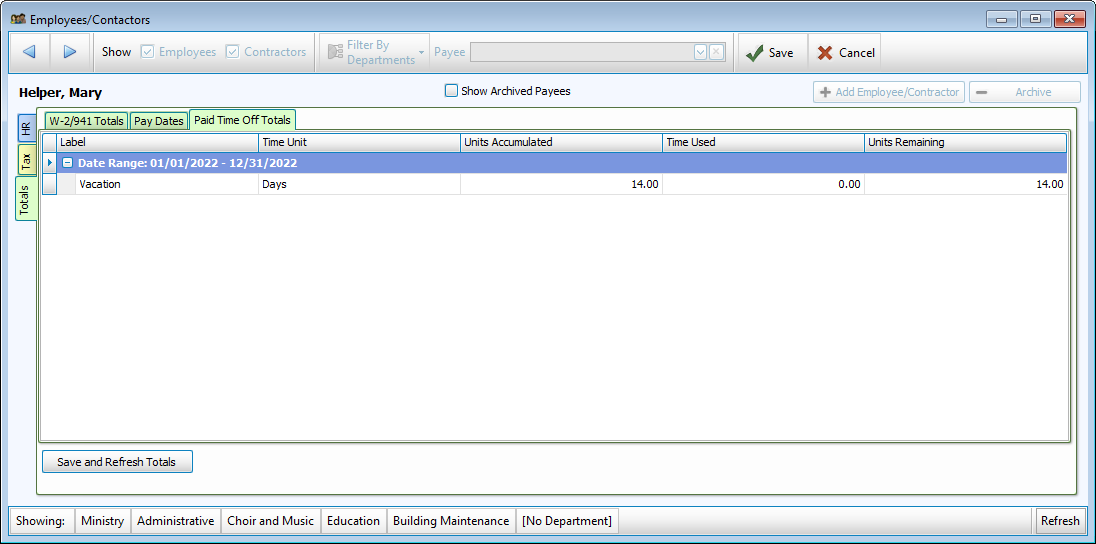
The Paid Time Off Totals shows PTO units earned, used, and remaining as of the last pay.